How to have the invoice made out and to buy without VAT
Every purchase produces an invoice, issued by Paddle.com Market Ltd., the authorised reseller that handles the payments (Merchant of Record). If you are buying with a VAT number, the details must be entered during the payment: that is when the invoice is drawn up, and it cannot be changed afterwards.
1. Press the purchase button: the payment window opens. Enter your email address and your country, which is needed to calculate the tax, and press Continue.
2. In the left-hand column the item “Add VAT number” appears. Click there and enter your VAT number, business name and address: these are the details that end up on the invoice. Where applicable, the purchase is made without VAT under the reverse charge and the total updates before your eyes.
3. Only then enter your card details and complete the payment.
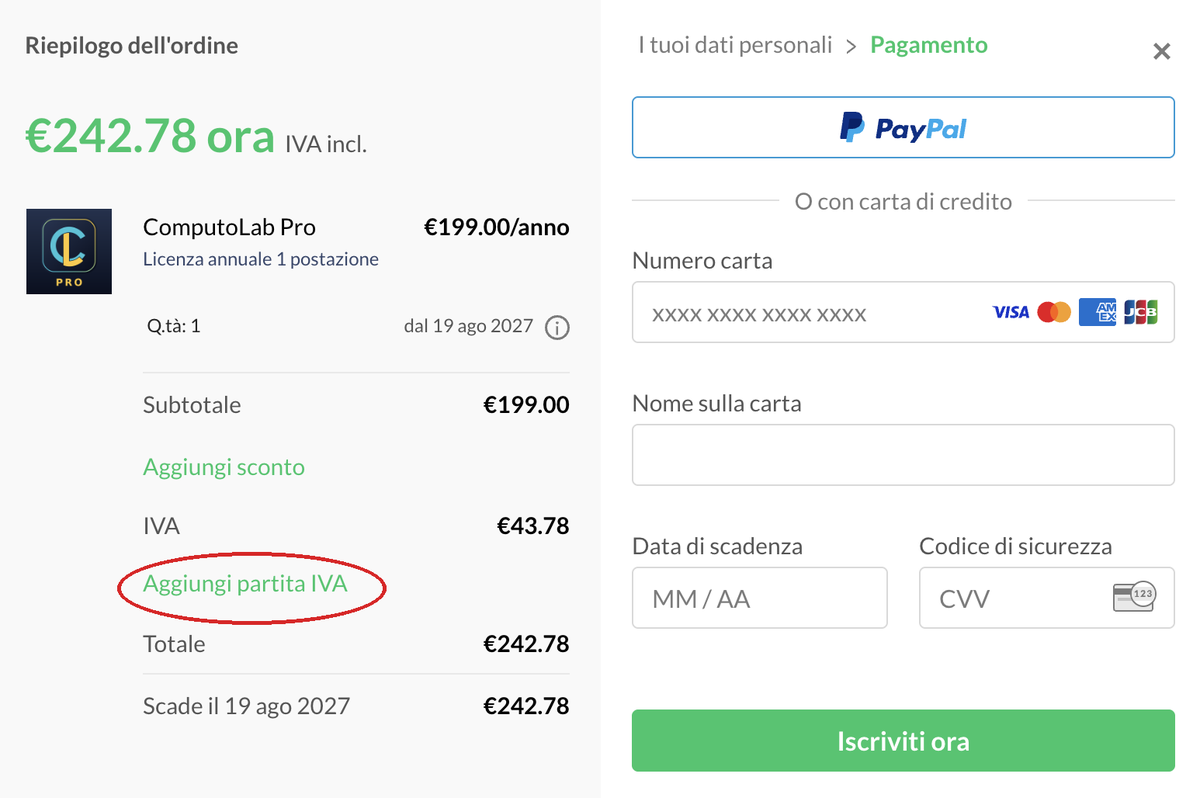
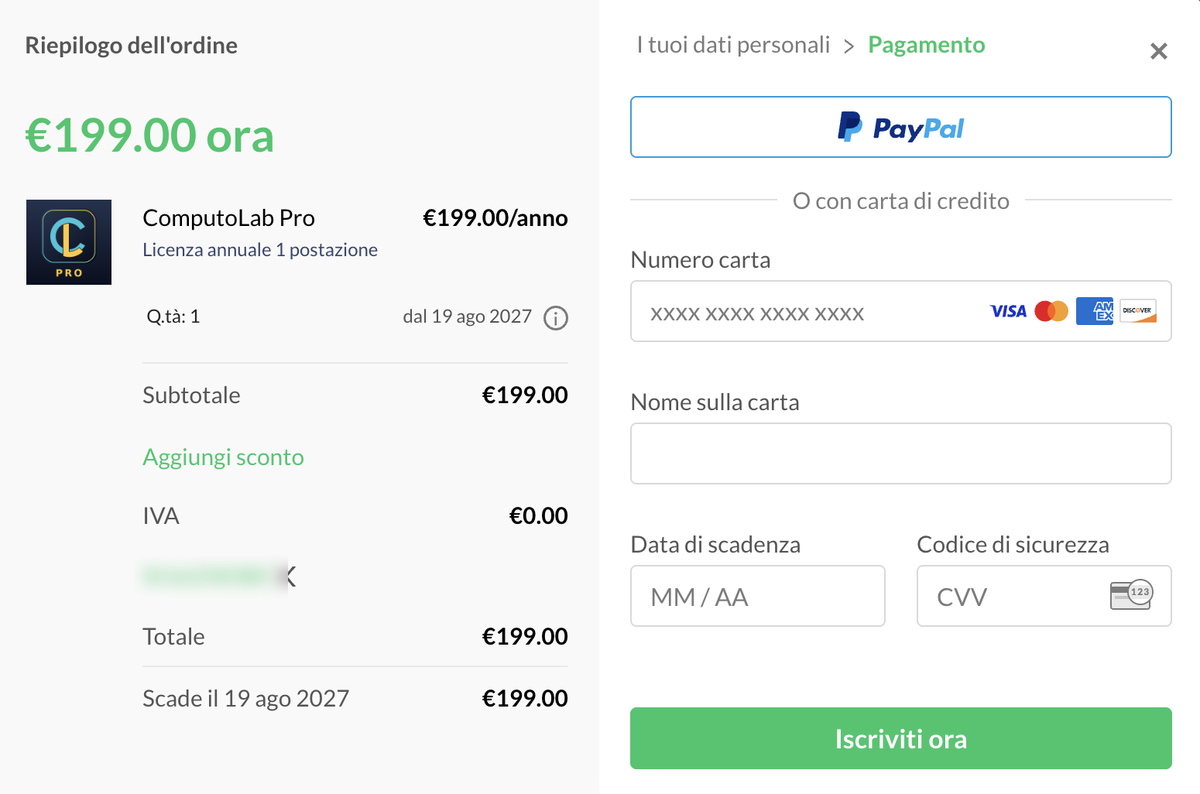
In the order summary the two wordings “from …” and “Expires on …” mean the same thing: the date of the subscription renewal, that is, twelve months after the purchase. It is not an expiry date of the program and it is not the date on which something stops working — it is when the next charge arrives. Renewal is automatic and can be cancelled whenever you like, even immediately after the purchase: the licence remains valid until the end of the period already paid for. These are Paddle's own texts, as Paddle handles the payment, and their translation is not in our hands.
Before typing your card number, check that the summary on the left shows the billing details you entered and that the amount is the one you expect. This is the last chance: once the payment has been completed the invoice is issued as it stands.
If you are buying as a private individual, the VAT of your country is added to the total and is shown on the invoice.
If you are buying with a valid VAT number in a country of the Union other than Slovenia, the invoice is issued without VAT under the reverse charge: you account for the tax yourself by self-billing, as with any other EU supplier. The number is checked automatically: if it turns out to be invalid, the tax remains charged.
Write to supporto@computolab.it stating the email address used for the purchase: the request has to be forwarded to Paddle, which is the party that issues the document. The sooner you act, the simpler it is.
A public body that needs electronic invoicing via SDI, with CIG and split payment, does not buy from this page: the way to do it is through the Italian distributor, explained in How a public body buys.
 ComputoLab